Searching your library
A reference library is only useful if you can find things in it. bibtui filters as you type, across a library of thousands, with no indexing step.
Press s to jump to the search box, type your query, and the table narrows live. Press Enter to move into the results, or Esc to clear the search.
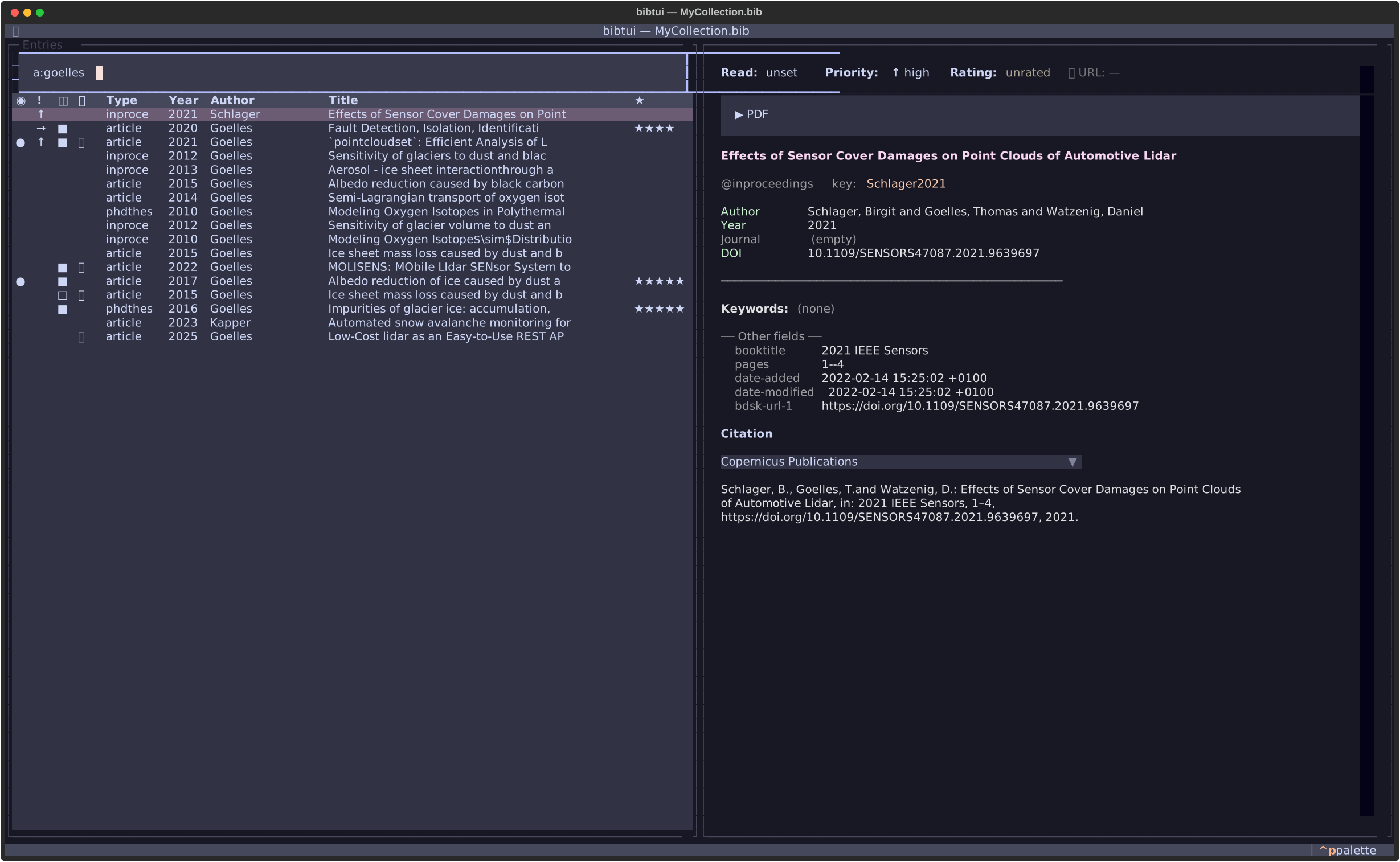
Plain text
Type any words to search across title, author, keywords and cite key at once. Multiple words are combined with AND — every word must match somewhere:
glacier melt
Field prefixes
To search a specific field, prefix a term. Both a short and a long form work.
Quote a value that contains a space, e.g. k:"sea ice":
| Prefix | Searches | Example |
|---|---|---|
a: / author: |
author | a:smith |
t: / title: |
title | t:glacier |
j: / journal: |
journal | j:nature |
k: / kw: |
keyword | k:"sea ice" |
y: / year: |
year, range or comparison | y:2015-2023 |
u: / url: |
URL | u:arxiv |
c: / citekey: |
cite key | c:smith2020 |
r: / state: |
read state | r:to-read |
pr: / urgency: |
urgency | pr:high |
Year ranges
y: accepts more than a single year:
y:2015-2023      # closed range: 2015 through 2023
y:2015-          # open range: 2015 or later
y:-2015          # open range: up to 2015
y:>2015          # strictly after 2015
y:>=2015         # 2015 or later (same as y:2015-)
y:<2015          # strictly before 2015
y:<=2015         # 2015 or earlier (same as y:-2015)
An entry with no year never matches a range or comparison.
Combine terms
Prefixes and plain words can be mixed freely. The optional AND keyword reads
naturally but changes nothing — terms are always ANDed:
a:smith t:glacier            # Smith, with "glacier" in the title
j:nature AND y:2025          # in Nature, published in 2025
k:ice a:jones                # tagged "ice", authored by Jones
y:2010-                      # published 2010 or later
c:smith2020                  # an exact cite-key lookup
r:to-read pr:high            # still to read, high urgency
Find your own papers
a:yourname is a fast way to pull up everything you've authored — handy
when assembling a CV or a grant report.
Saved filters
A search you retype every session is really a saved view waiting to happen —
bibtui calls these filters. Keep one .bib file for everything, and use a
filter to work inside a slice of it, e.g. "Project X" = keyword sepp,
published 2010 or later.
Press f to open Filters:
0 · All entries
1 · ● Project X        — k:sepp y:2010-
2 ·   To read           — r:to-read
| Key | Action |
|---|---|
| 0–9 | Jump straight to that filter (0 is "All entries") |
| Enter | Select the highlighted row |
| w | Write the current search as a new (or updated) filter |
| e | Edit the highlighted filter's name/query |
| d | Delete the highlighted filter (confirmation required) |
| Esc | Close the menu |
To save a filter: type a search (k:sepp y:2010-), press f then
w, and give it a name — typing an existing filter's name updates
it instead of creating a new one (confirmed first, in case it was a typo).
The active filter (marked ●, and already highlighted when you reopen the
menu) is shown in a bar above the search box —
Filter: Project X k:sepp y:2010- 42 / 1203 — and in the app's title bar.
The search box then refines within the active filter, exactly like adding another ANDed term. Esc clears only that refining search — the filter itself stays on until you pick a different one from the f menu, so you can't drop out of your current project by accident. The last-active filter is remembered across restarts.
Deleting a filter (d) always drops you back to "All entries" — even if the one you deleted wasn't the active one — so you never end up looking at a just-deleted filter's results. "All entries" itself (row 0) isn't a real filter and can't be deleted; trying to shows a notice instead of silently doing nothing.
Filters are saved to ~/.config/bibtui/filters.toml and apply to every .bib
file you open — see Saved filters for
the file format.
Sorting
Click any column header to sort by it; click again to reverse. The active sort
column is marked with ▲ (ascending) or ▼ (descending). Sort by Added to
see what's new, by ★ to surface your highest-rated reading, or by Year
to scan chronologically.
By default the table is sorted by Added, newest first. Your choice is
remembered: the sort you left is restored the next time you start bibtui (saved
under [ui] sort_column / sort_reverse in config.toml).
Choosing columns
You're not limited to the default columns. From the command palette (Ctrl+P → Table: Configure columns) you can pick which columns the table shows and in what order, including the cite key or any BibTeX field present in your library. See Table columns for details.