Keybindings
Press ? inside bibtui at any time for this reference. Modals show their own keys in the footer.
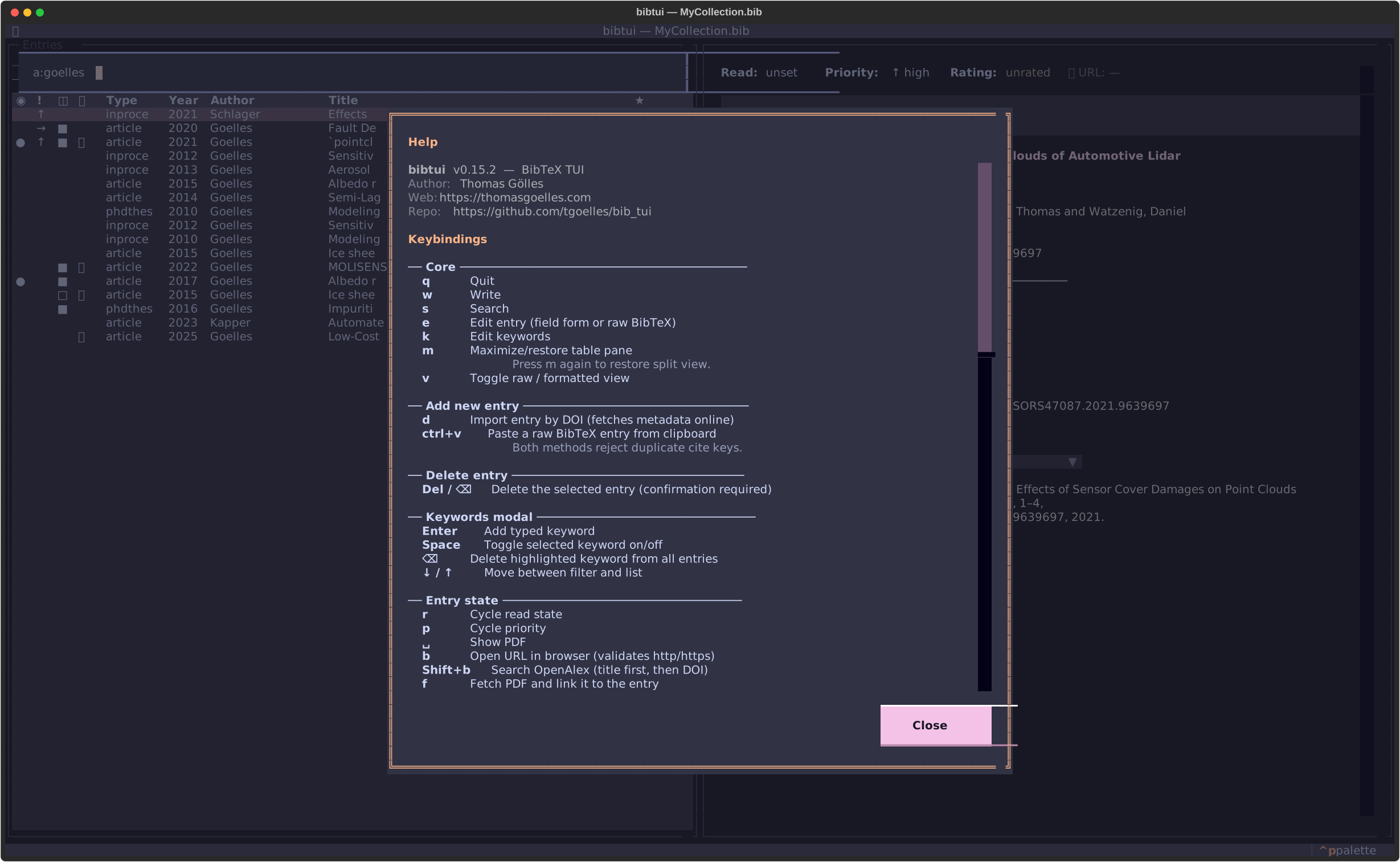
Core
| Key | Action |
|---|---|
| q | Quit |
| w | Write (save to the .bib file) |
| s | Search |
| f | Filters — pick, save, edit or delete a saved filter |
| e | Edit entry (field form or raw BibTeX) |
| k | Edit keywords |
| v | Toggle field form / raw BibTeX view |
| m | Maximize / restore the table pane |
| < / > | Grow / shrink the detail pane (5% steps, saved to config) |
| Ctrl+d | Open the online documentation in your browser |
| ? | Show help |
Adding & removing entries
| Key | Action |
|---|---|
| n | New entry — then d import by DOI, p import from PDF (pick one or more files), b import a .bib file, v paste BibTeX, or m fill out manually |
| Ctrl+V | Also auto-detects a pasted BibTeX entry anywhere |
| Delete / ⌫ | Delete the selected entry (confirm) |
Entry state
| Key | Action |
|---|---|
| r | Cycle read state (to-read → skimmed → read) |
| u | Cycle urgency (high → medium → low) |
| 1–5 | Set star rating |
| 0 | Clear rating |
| b | Open the entry's URL in a browser |
| Shift+B | Search OpenAlex for the entry |
PDF actions
| Key | Action |
|---|---|
| Space | Open the linked PDF directly |
| p | PDF actions — o open, f fetch, a add, c copy PDF, p copy path, d delete (all six are always listed; the ones that don't apply to the entry's current PDF state are grayed out) |
Filters
Saved, named searches you can jump back to — see Saved filters for the full picture.
| Key | Action |
|---|---|
| f | Filters — 0-9 jump to a saved filter (0 is "All entries"), Enter select the highlighted row, w write the current search as a filter, e edit the highlighted one, d delete it, Esc close |
The active filter (marked ● and highlighted when you reopen the menu) narrows the library; the search box then refines further within it. Esc in the main view clears only the search — the filter stays on until you pick a different one from the menu.
Copying
| Key | Action |
|---|---|
| Ctrl+C / ⌘+C | Copy selected text, or the cite key |
| Shift+C | Copy the formatted citation (current CSL style) |
| Ctrl+Y | Copy the full BibTeX entry (also bound to Ctrl+Shift+C / ⌘+Shift+C, but most terminals reserve those for their own copy command — see below) |
Copies go to the OS clipboard via the native tool (pbcopy, wl-copy/xclip/xsel,
clip) and also as an OSC 52 escape for SSH sessions.
Everything else
| Key | Action |
|---|---|
| Ctrl+P / ⌘+P | Command palette (settings + library actions) |
| Esc | Clear the search, or close a modal |
In any modal
Ctrl+S / ⌘+S writes/saves and Esc cancels.
About the ⌘ and Shift+C-family shortcuts
Plain Ctrl shortcuts (Ctrl+C, Ctrl+S, Ctrl+P, Ctrl+Y) always work. The ⌘ (Cmd) alternative only reaches bibtui in terminals that forward it as a distinct key — Kitty, WezTerm, Ghostty, or iTerm2 with the Kitty keyboard protocol enabled. In macOS Terminal.app and stock iTerm2, Cmd shortcuts are handled by the terminal itself and never reach bibtui, so Ctrl is what you'll actually use there.
Ctrl+Shift+C and ⌘+Shift+C are a step less reliable still: most
terminal emulators claim that exact combination as their own built-in
"copy selected text" shortcut and never forward it to any app at all —
for example Kitty's default keymap binds kitty_mod+c (kitty_mod
defaults to Ctrl+Shift) to copy_to_clipboard, so bibtui never even
sees the keypress there. This is unrelated to Kitty keyboard protocol
support — it happens at the terminal's own keybinding layer, before any
protocol negotiation. Where the terminal doesn't claim it outright,
older/simpler terminals still can't tell Ctrl+Shift+C apart from plain
Ctrl+C at the byte level, so it falls back to "copy cite key" instead.
Either way, use Ctrl+Y for "copy BibTeX entry" — it's the one
guaranteed to reach bibtui everywhere.